Offline · Private · No Account

The PDF editor that stays on your device.

Edit text and images, redact, sign, compress, split, merge and convert PDFs, entirely on your own machine. No uploads. No accounts. No subscription. Just a fast, native app that does the work.

Download Free See features Free on desktop · $9.99 once on mobile
macOS Linux Windows Android iOS

/ Why offline

Your documents are yours.

Most PDF editors ask you to upload your files to a stranger's server, sign in, accept terms, and pay every month for the privilege of editing something you already own. RevPDF doesn't.

A native, smooth PDF editor that never touches the cloud, never asks for an account, and never holds your work hostage behind a subscription.

  1. 01 · Local-first

    Files never leave your device

    Every operation runs on your own CPU. No upload step, because there's no server to upload to.

  2. 02 · No account

    Open the app and start editing

    No email. No password. No free-trial countdown. The product is the product.

  3. 03 · One-time purchase

    Pay once, or pay nothing

    Desktop is permanently free. Mobile is $9.99 once, linked to your Apple or Google account.

  4. 04 · Lean & native

    30 MB. Written in C++.

    Starts instantly. Runs on hardware you already have.

/ Capabilities

Twelve professional tools. All local.

Everything you'd expect from a full editor, and the operations most PDF apps quietly send to a server, RevPDF runs entirely on your machine.

Content editing

Edit text and images directly inside the PDF. Modify fonts, reposition elements, replace artwork in place.

True redaction

Permanently remove sensitive text and images, not just cover them with a rectangle. Sanitised output, every time.

Annotations

Highlight, underline, comment and mark up any PDF in a fluid review pass.

Draw & markup

Freehand pen and shape tools for contracts, diagrams and engineering drawings.

Form builder

Author interactive PDFs from scratch, text fields, checkboxes, dropdowns, radio groups.

Form filling

Tab through any fillable PDF, complete fields, save. No print-and-scan required.

Electronic signing

Draw, type or import a signature. Save it for reuse across contracts.

Compression

Shrink files dramatically with no visible quality loss. Built for email and archival.

Split & merge

Split by page, range or size. Combine documents in any order, end to end.

Watermarks

Stamp text or image watermarks across pages, confidential, draft, your brand.

Conversion

PDF ↔ images. PDF → Word (beta). All processed locally without a network call.

Page organisation

Reorder, rotate, delete and rearrange pages with drag-and-drop precision.

/ Interface

One editor. Five platforms.

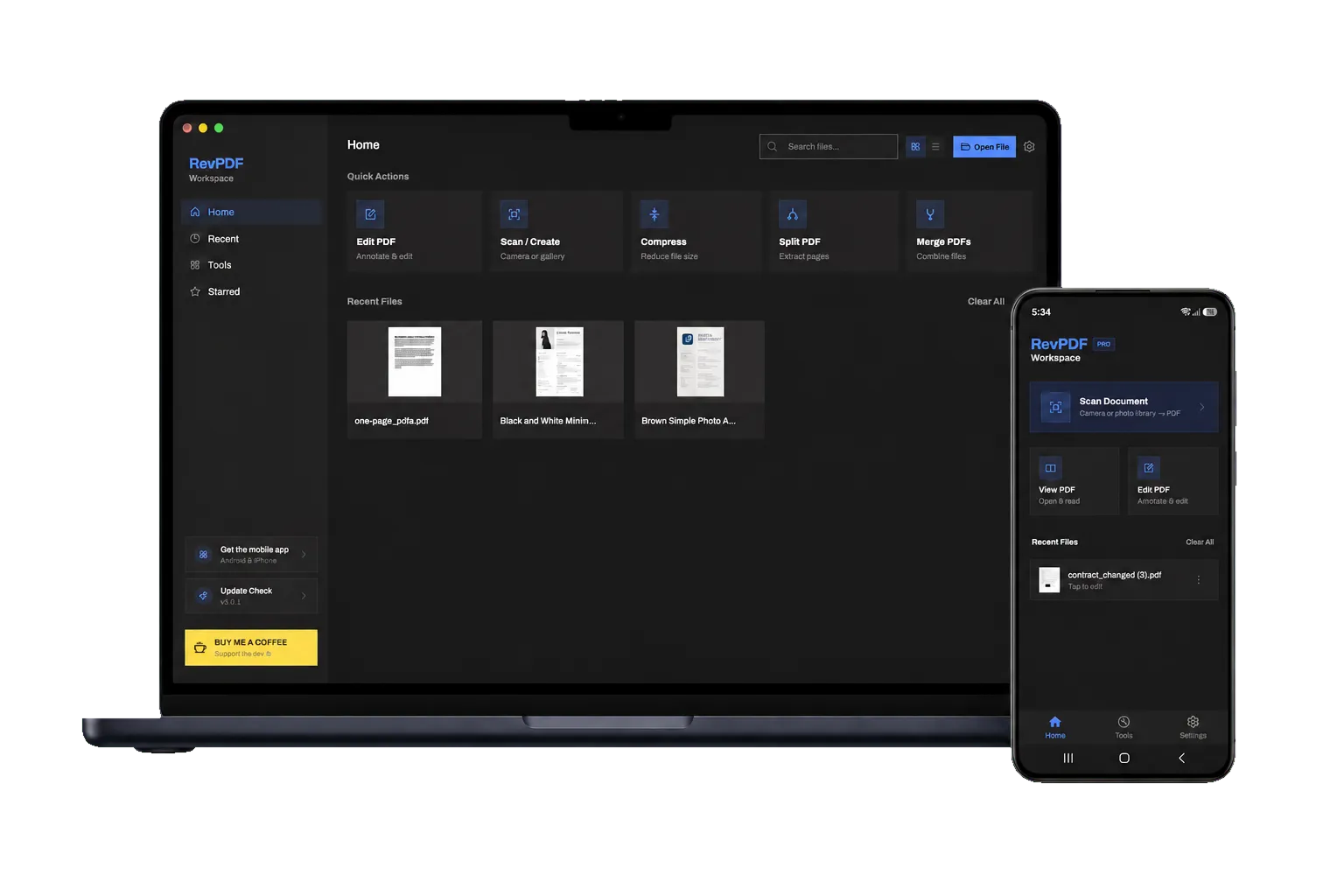
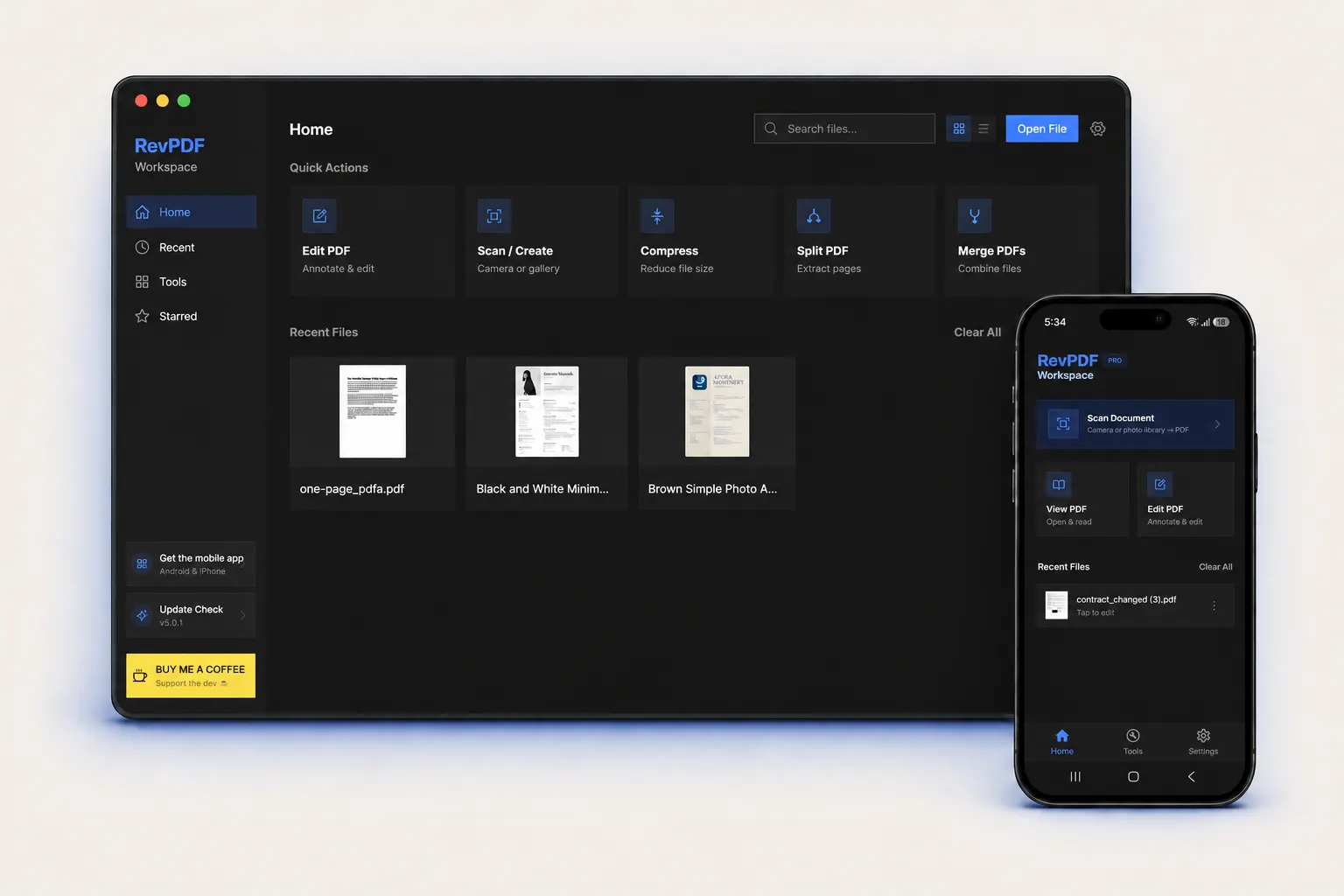
A focused, restrained UI designed for real document work. No floating panes, no contextual sales prompts, no "upgrade to unlock" modals.

RevPDF running on macOS, iPad, iPhone and Android

Watch

See RevPDF in three minutes.

A quick walk-through of editing, signing and splitting PDFs, entirely offline.

Watch on YouTube

/ From users

4.6 stars. Mostly five.

RevPDF is rated 4.6 on the Play Store across 100+ reviews. A small selection below; the rest live on the store.

★★★★★ Supporter
"Slick app that has just what I need and not a single MB of junk."
O
Oleksiy
Jan 2026
★★★★★ Supporter
"Great app. UX is clean, no bells and whistles. Thanks for dropping it on Linux too."
T
Tony
Jan 2026
★★★★★ Supporter
"Thank you for the great software and a solution to a long-standing problem."
V
VR Centre
Jan 2026
★★★★★
"Best PDF editing app I have ever used that actually edits PDFs and is not a gimmick."
P
Play Store user
5 stars
★★★★★
"Really good app, better than many editing apps."
B
B. Sairam Reddy
5 stars
★★★★☆
"Great for changing text inside PDFs. Wish there were undo-redo buttons."
N
Navodith Sheth
4 stars

/ Journal

Notes from the workshop.

Occasional dispatches on PDF productivity, native engineering, and the case for offline software.

Browse the blog

/ Questions

Plainly answered.

The six questions we hear most often. Email editor@revpdf.com for anything else.

Is RevPDF really free on desktop?

Yes, completely free on Windows, macOS, and Linux. Every feature, no time limit, no watermarks, no subscription. Desktop will always be free.

Does it work without internet?

Yes. RevPDF is 100% offline by design. Every operation happens on your device, no connection is required, ever.

Do I need an account?

No. Zero accounts, zero logins, zero sign-ups, on any platform. Open the app and start editing.

Is there a real Linux build?

Yes. A native, stable application for Linux with full feature parity, the same editing, redaction, OCR and conversion tools as macOS and Windows.

What does it cost on Android and iOS?

$9.99 one-time, linked to your Apple or Google account. Pay once, yours forever. No subscription, no renewals.

How are documents protected?

RevPDF never uploads your files. Editing, OCR, redaction and conversion happen locally on your device. No cloud, no telemetry, no data collection.

Support

Built by one developer.
Kept free by coffee.

RevPDF will always be free on desktop. If it saves you time, a one-off coffee genuinely keeps development going.

Buy me a coffee